Tallihaus
Not yet? Buy your next home with your eyes open.
From the first showing to the day you get the keys: compare homes, know your budget and never miss a closing step.
See it in 45 seconds
Check today's rates, set your budget, save and tour homes, compare them side by side, and follow every step to the keys.
Tap to play, with sound. Recorded in the app with sample data.
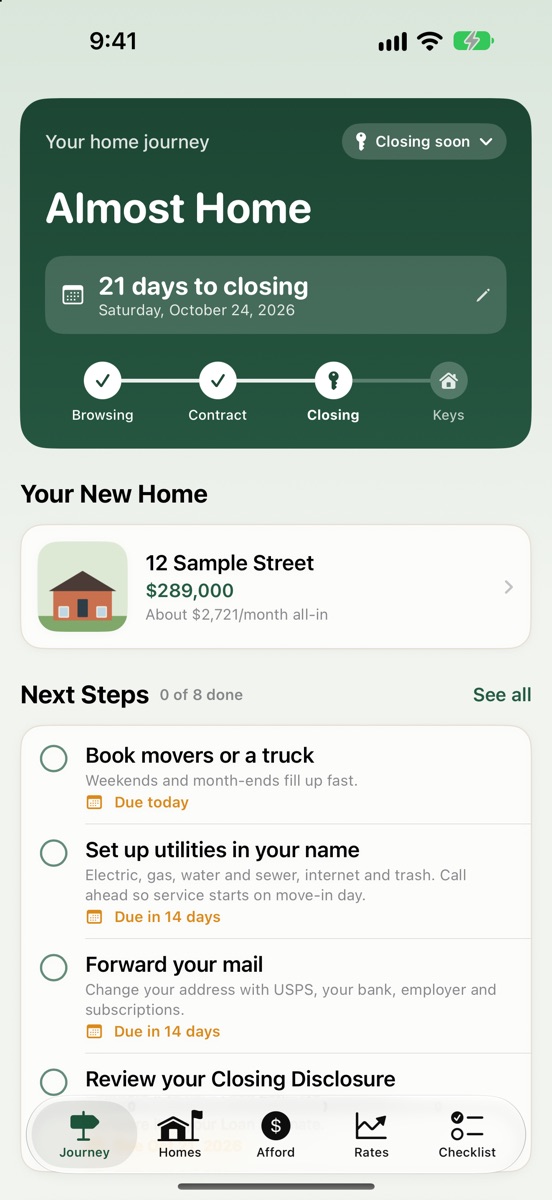
Know exactly where you are
Your whole purchase on one screen: the days until closing, what's next and how far along you are.
- From browsing to under contract to closing day
- The next few steps, with due dates
- Not ready to type anything? Explore four sample homes first
- A Get Started list for your budget, your ZIP code and the homes you like
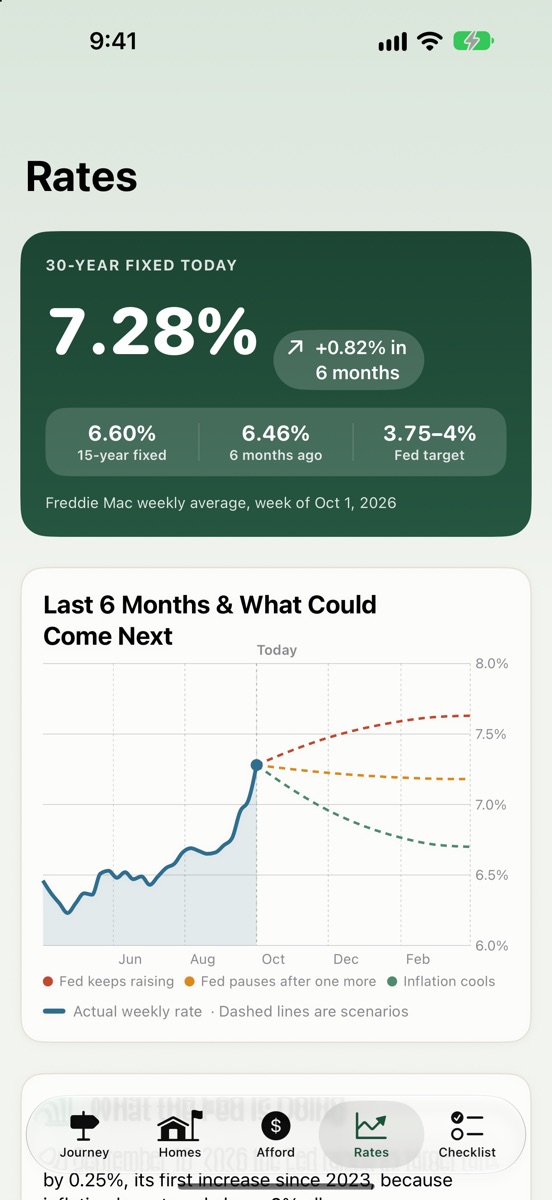
Check today's mortgage rates first
Rates set how much house you can afford, so start here: this week's average 30-year and 15-year rates from Freddie Mac, the last six months, and where rates could go next. Part of Tallihaus Plus.
- What the Federal Reserve is doing, in plain English
- What a rate change means for your monthly payment
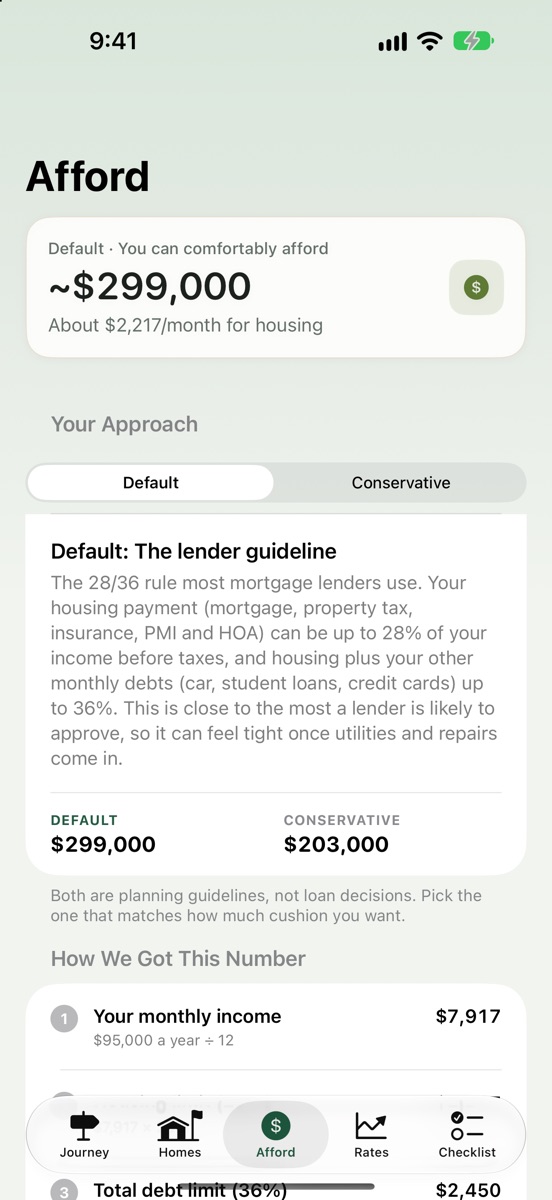
What you can comfortably afford
Not just what a lender might approve. Tallihaus™ shows a standard number and a more cautious one, and every step of the math.
- Taxes, insurance, PMI and HOA included, with property taxes for your area from your ZIP code
- Your other monthly debts counted in
- Plain explanations, no jargon
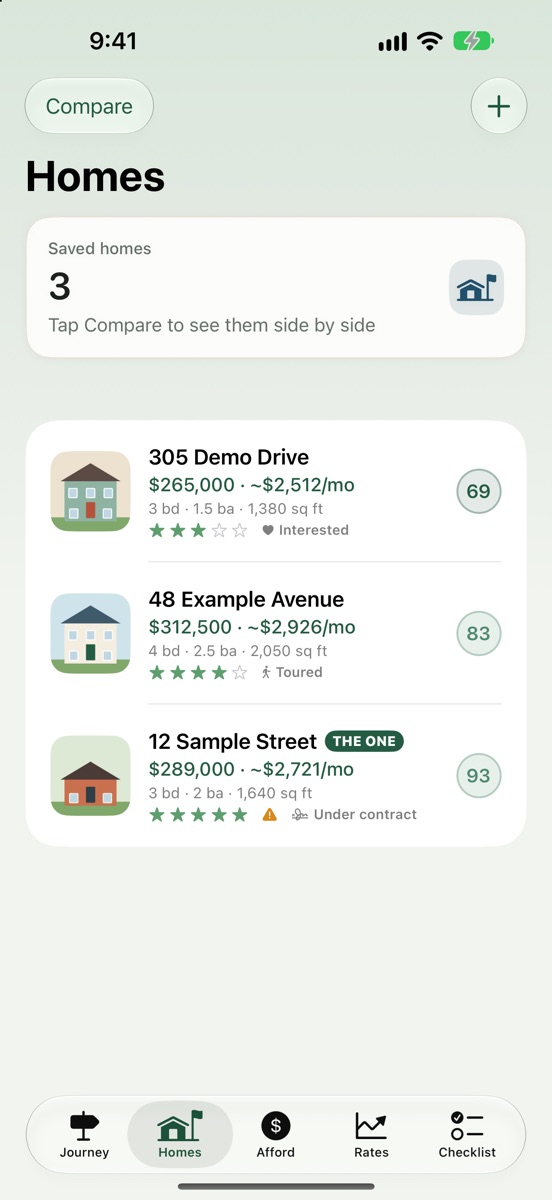
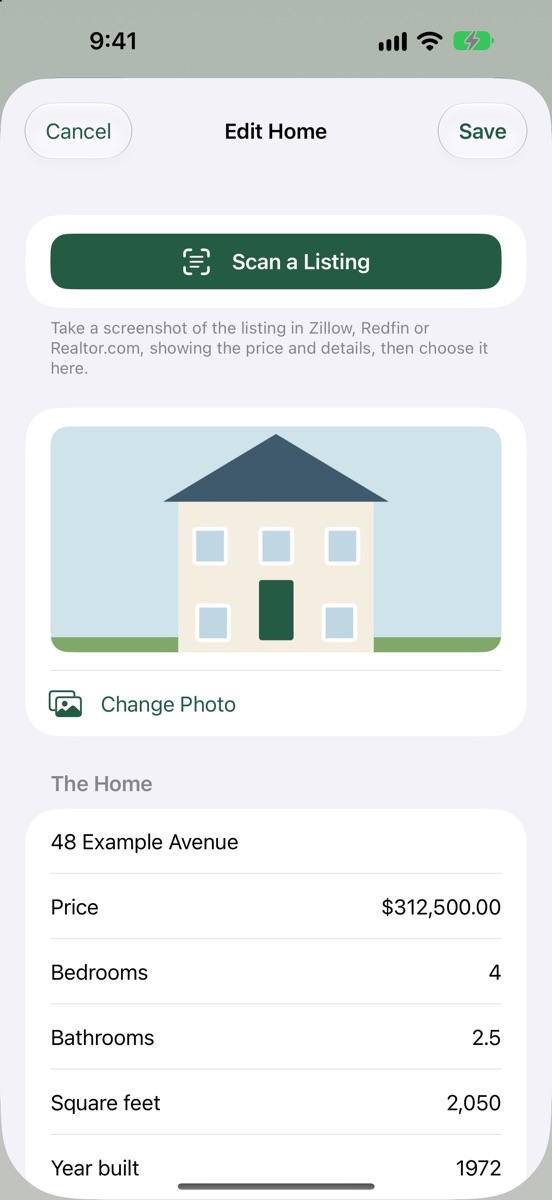
Save every home you like, or scan the listing
Take a screenshot of a Zillow, Redfin or Realtor.com listing and Tallihaus fills in the price, beds, baths and more.
- The true monthly cost of each home, with taxes and insurance
- A Home Score that weighs how much you liked it, the repairs it needs and your budget
- Your notes, rating and a photo for each one
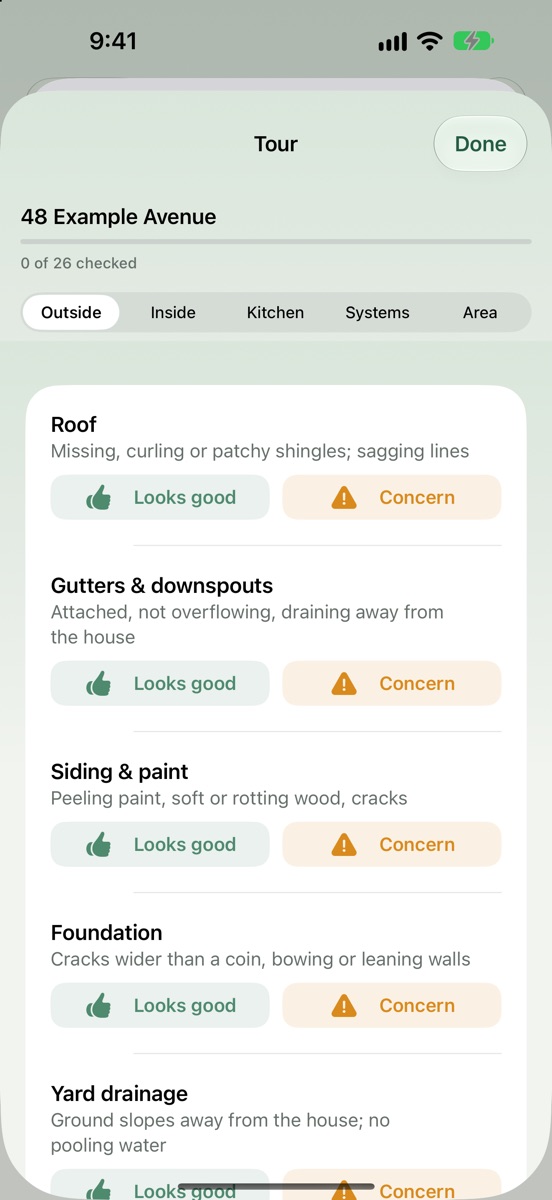
Tour each home with a checklist
A walk-through checklist for showings, from the roof to the water heater, so you notice what matters.
- Mark each item "Looks good" or "Concern" as you go
- Concerns become repair estimates for that home
- Outside, inside, kitchen, systems and the neighborhood
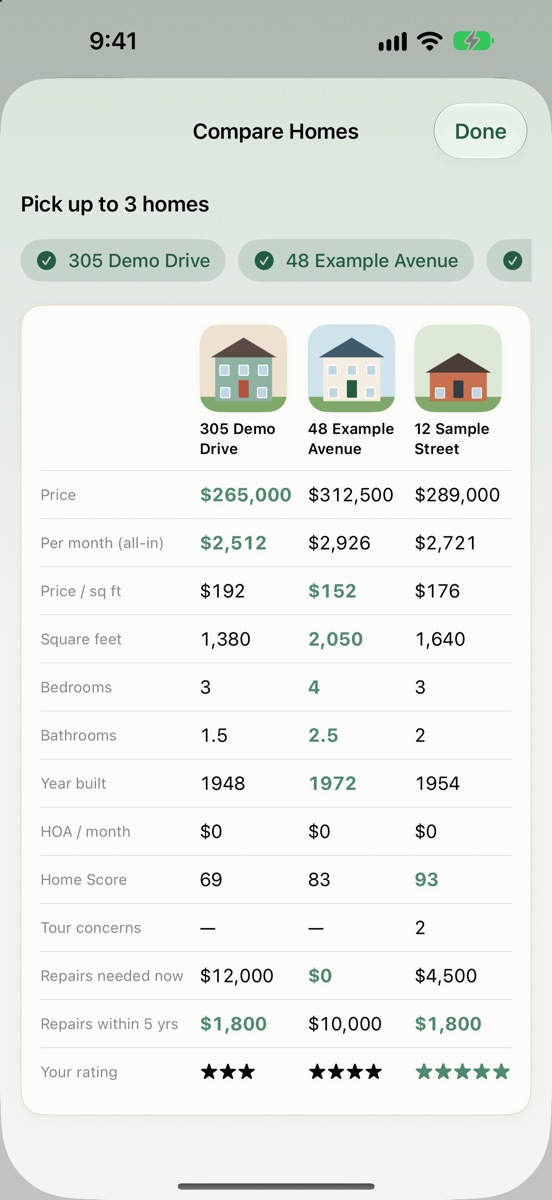
Compare them side by side
Put up to three homes next to each other: price, monthly cost, size, repairs and your rating, with the best in each row highlighted.
- Monthly cost all-in, not just the price
- Repairs needed now and within five years
- Home Scores to see which one really fits
From offer to keys, every step
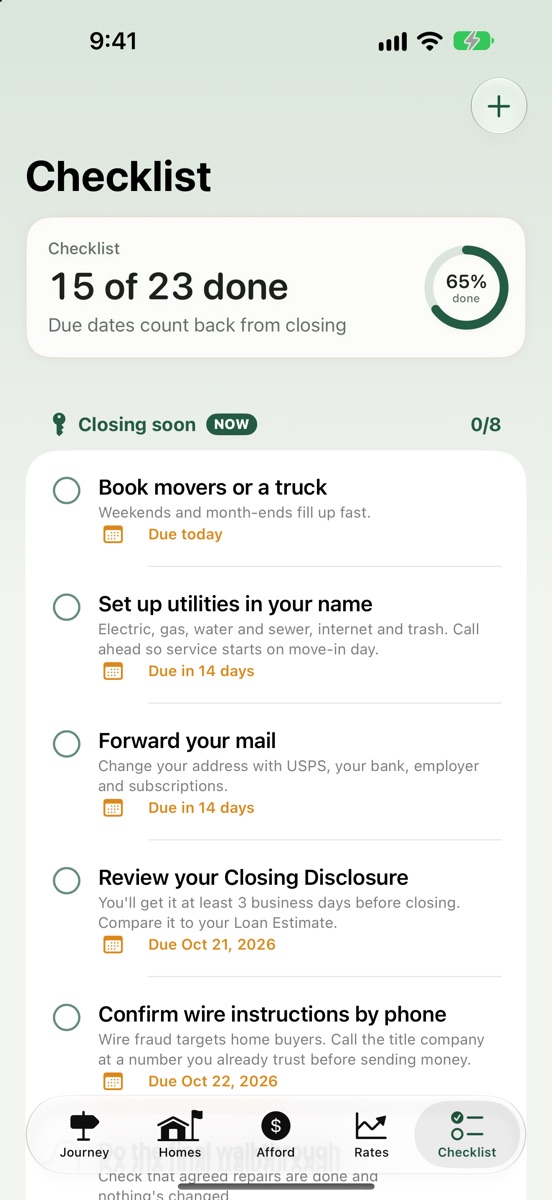
A closing checklist built around your closing date, with reminders so nothing slips.
- Due dates count back from closing day
- Movers, utilities, mail, the Closing Disclosure and more
- A warning to confirm wire instructions by phone, since wire fraud targets buyers
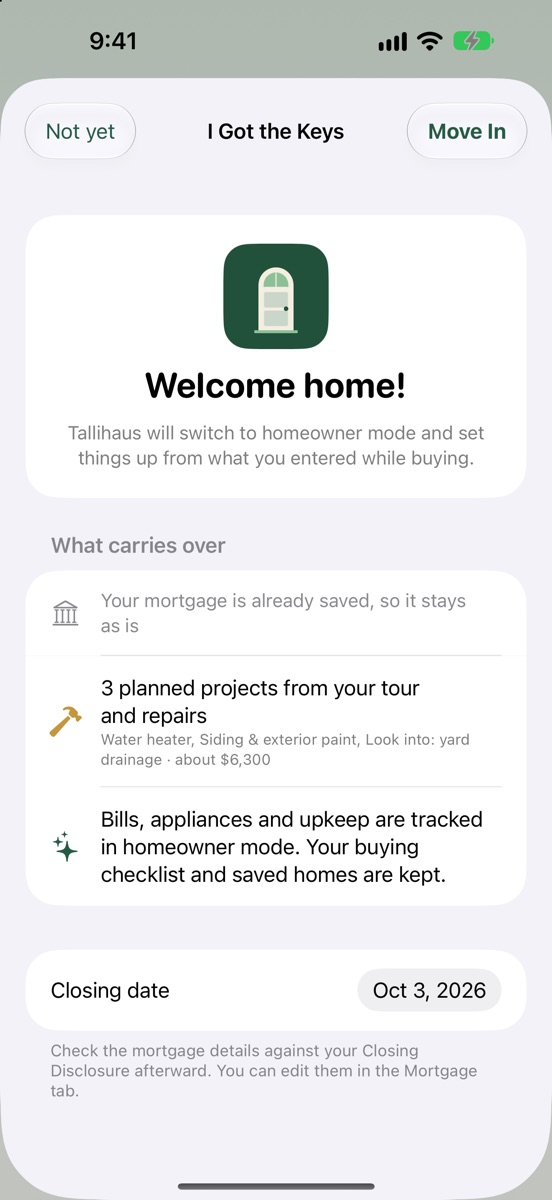
Move in, and nothing is lost
On closing day, one tap switches Tallihaus to homeowner mode. Everything you entered while buying carries over.
- Your mortgage, set up from the loan you chose
- Repairs from your tour become planned projects
- Starter maintenance tasks for your new home
- Your purchase price becomes your first home value